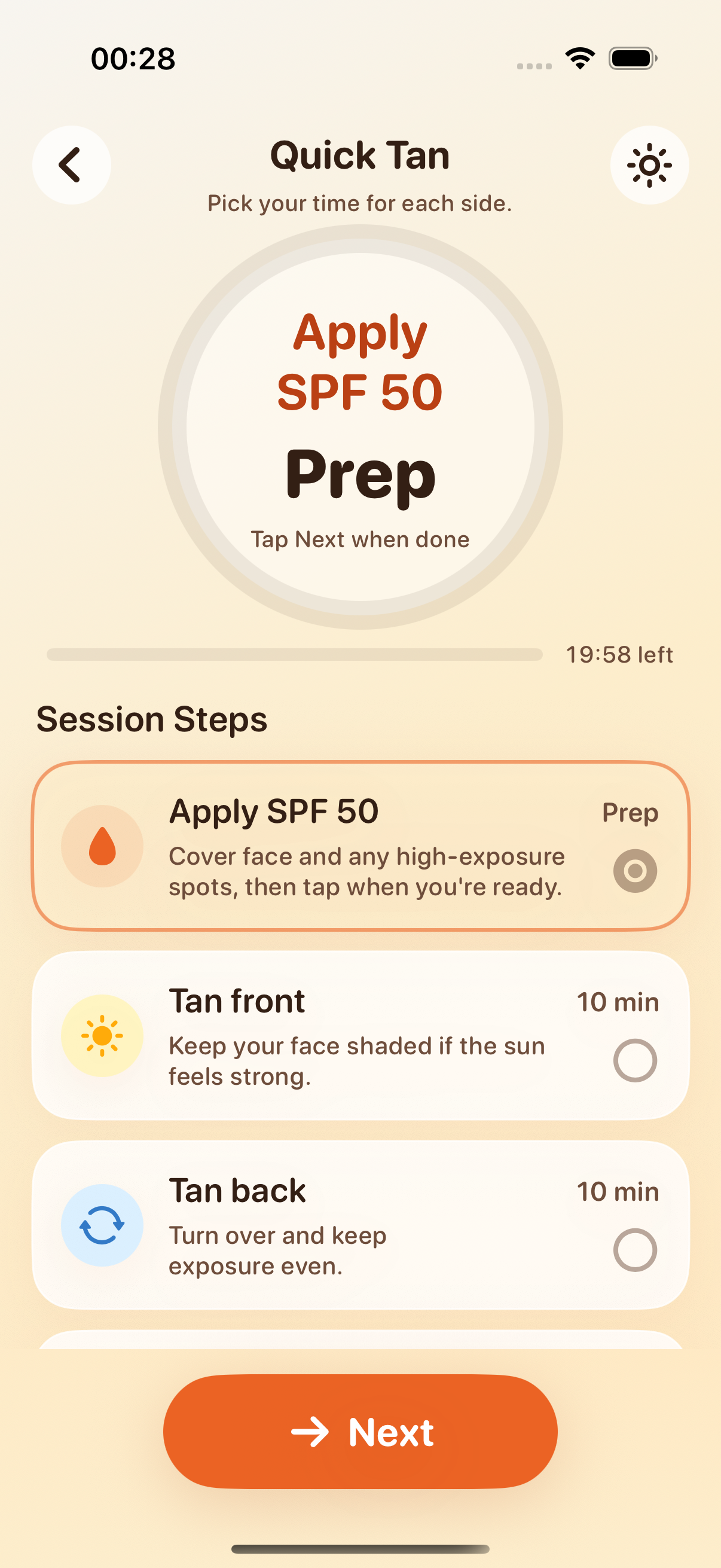
Set the minutes for each side
Quick Tan lets you choose 5, 8, 10, 12 or 15 minutes per side. The session runs front first, then gives you a cue to turn over, times the back and tells you when the session is finished.
- 1.
Choose your time
Pick 5, 8, 10, 12 or 15 minutes per side.
- 2.
Tan the front
Start the session and let Quick Tan count down the first side.
- 3.
Turn over
Tanning Muse cues you when the front is done.
- 4.
Tan the back
The timer continues for the same selected time on the back.
- 5.
Finish the session
The app tells you when the back is done and the session is over.
Keep the timer visible while you tan
While a session is running, it stays visible on the Lock Screen and in the Dynamic Island. Tanning Muse tells you when to turn over and when time is up, so you can leave the app screen without losing track of the session.
That means you can follow the timer instead of trying to judge how long you have been on one side by how strong or warm the sun feels.
Check the UV index before you start
UV Index values vary throughout the day.1
Before you start a timer, Tanning Muse shows the current UV index for where you are, its level and the day's peak. You can also check the UV hour by hour for the next 7 days.
The UV reading does not choose the timer length for you. You pick the Quick Tan length yourself with the current UV in view.
See Redness Risk for your skin type
A short quiz about how your skin reacts to the sun and your skin tone sets your skin type. From that profile and the current UV, Tanning Muse recommends SPF 15, 30 or 50.
Redness Risk estimates the number of minutes before the risk of redness rises. During a session, the app warns you as that point gets closer.
Use a longer routine for more time in the sun
For a longer session, a Custom Routine covers 15 to 120 minutes, split into alternating front and back blocks. The timer tells you when to switch sides, so you do not have to keep track of the whole session yourself.
For routines of 90 minutes or more, the app adds an SPF and water break, with a reminder to reapply sunscreen and drink water.
Keep a journal after the timer ends
Every finished session is saved to the journal, so you can look back at how long you tanned. You can add photos marked Before or After to follow your tan over the season.
Tan Map shows the places where you tanned on a private map, with the sessions and photos connected to each place.
What is free on iPhone
Tanning Muse is free to download, and Quick Tan is free to use. The UV forecast, skin type, SPF and Redness Risk, session reminders, journal and Tan Map are also included for free.
Custom Routines are part of Muse Premium. Premium is available as a weekly or yearly subscription, and the yearly plan starts with a 3-day free trial.
Tanning Muse runs on iPhone with iOS 18 or later. No account or sign-up is needed, and your sessions and photos are kept on your device.