What the tracker keeps over the summer
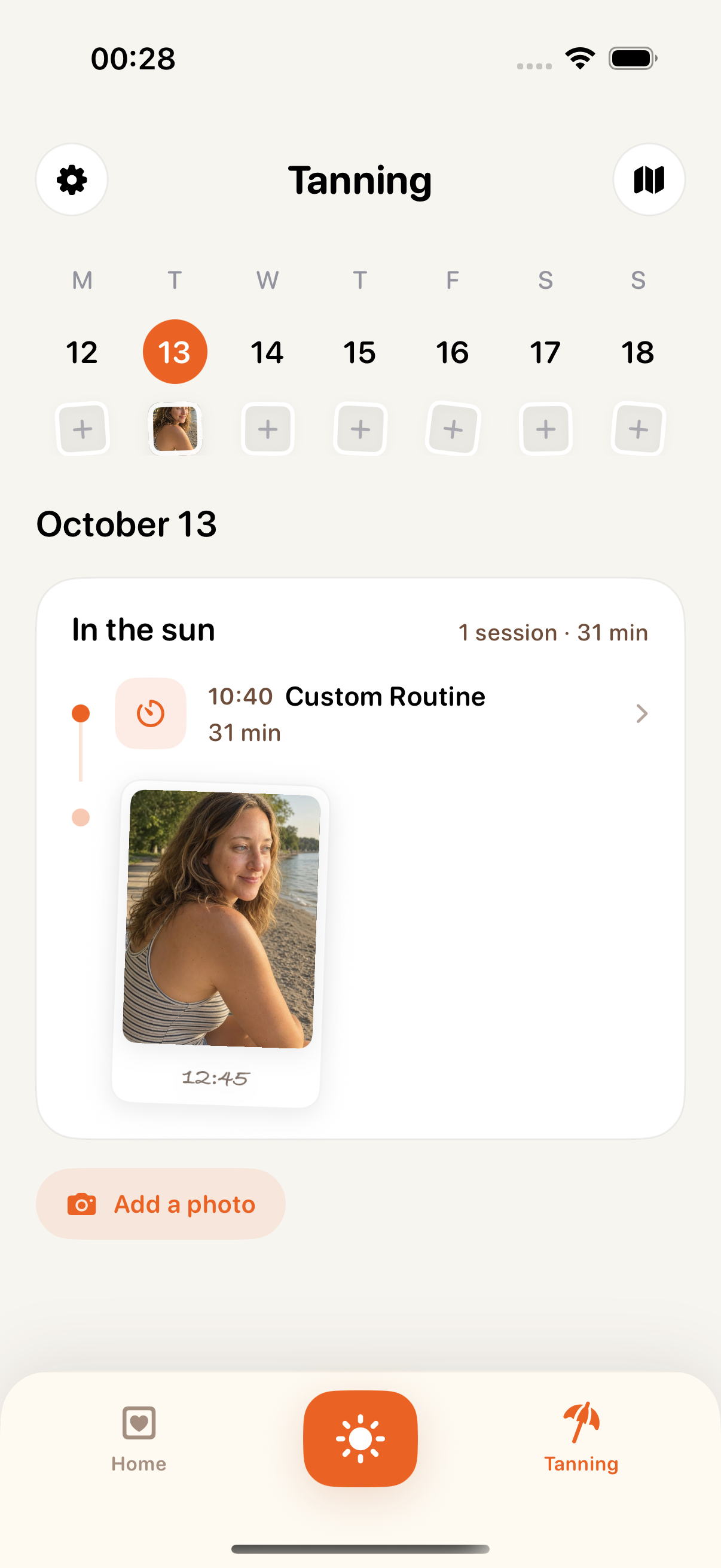
Every session you finish goes into the journal. Over a summer that adds up to a record of how often you tanned and how long each session ran.
Add photos and mark each one Before or After. By late summer you can look back at the first photo of the season and see how far the tan has come.
Tan Map puts the places you tanned on a private map, and each place shows its sessions and photos.
Timing each side and turning over
You don't have to watch the clock. Pick how many minutes to give each side, and Tanning Muse times it, tells you when to turn over and puts the finished session in your journal.
A Quick Tan session, start to finish
- 1.
Pick the minutes per side
Quick Tan offers 5, 8, 10, 12 or 15 minutes per side.
- 2.
Start with your front
Start the session and settle in. The running timer shows on the Lock Screen and in the Dynamic Island, so a glance at the phone beside you shows how long is left.
- 3.
Turn over at the cue
When the first side's time is up, the app tells you to turn over, and your back gets the same time.
- 4.
Finish, and the session is saved
After your back is done, the finished session goes straight into the journal. Add a photo and mark it Before or After if you want a picture of how the tan looked that day.
For a longer afternoon there is a Custom Routine. It covers 15 to 120 minutes and splits that time into alternating front and back blocks, so you still turn at a cue rather than guessing. From 90 minutes it also builds in a break, with a reminder to reapply sunscreen and drink some water. When it's done, the routine shows up in your journal like any other session.
UV index for your location and sun time in Apple Health
The app shows the current UV index where you are, along with its level and the day's peak. The forecast lists UV hour by hour for the next 7 days. Before you go out, you can see when UV will be strongest and which day this week looks best.
UV rises and falls through the day and is strongest in the four hours around solar noon, so the hourly numbers tell you more than a single figure for the day. Solar noon falls between noon and 2 p.m., depending on your location and daylight saving time. A higher index can do more damage to your skin in less time.1
With Apple Health switched on, the time of each session is added to Time in Daylight.
What's free and what Premium adds
Custom Routines come with Premium.
What is free and what Premium adds
- Tan journal with Before and After photos: free
- Tan Map of the places you tanned: free
- Quick Tan, 5 to 15 minutes per side: free
- UV index where you are, now and hour by hour for 7 days: free
- Session time in Apple Health: free
- Custom Routines, 15 to 120 minutes with alternating front and back blocks: Premium
Premium is a weekly or a yearly subscription, and the yearly plan starts with a 3-day free trial.
There is no account or sign-up. Your sessions and photos are kept on your device. Tanning Muse runs on iPhone with iOS 18 or later.